An Alabama UCC search lets someone check whether an individual or business has any UCC filings tied to their personal property or company assets. It’s conducted through the Secretary of State’s online database, which contains public records of financing statements and related filings (Ala. Code § 7-9A-523(c)).
Business Entity Search

By searching, you agree to our Terms of Use and Privacy Policy.
UCC Search
1. Go to the UCC Search Page
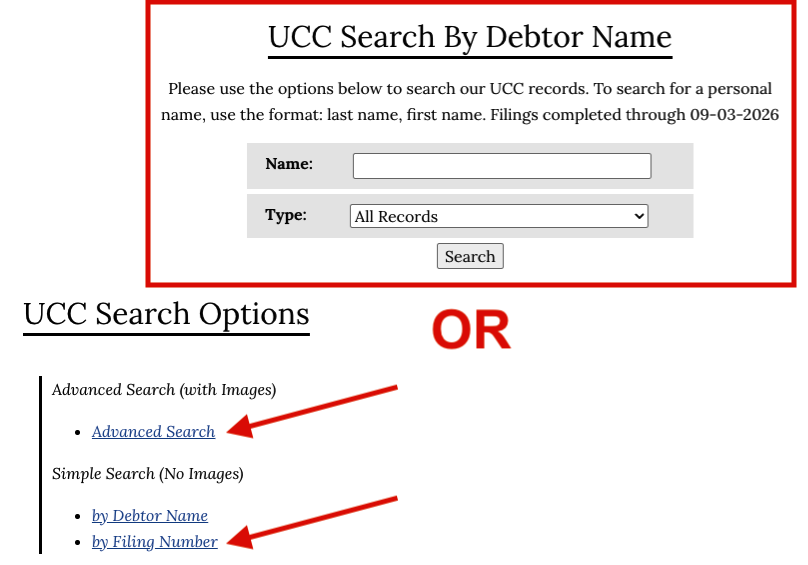
Select one of the following search methods:
- Advanced Search (with images)
- By Debtor Name (no images)
- By Filing Number (no images)
(“Images” refers to the scanned or electronic copies of the actual UCC documents that were filed with the Alabama Secretary of State.)
2. Analyze Search Results
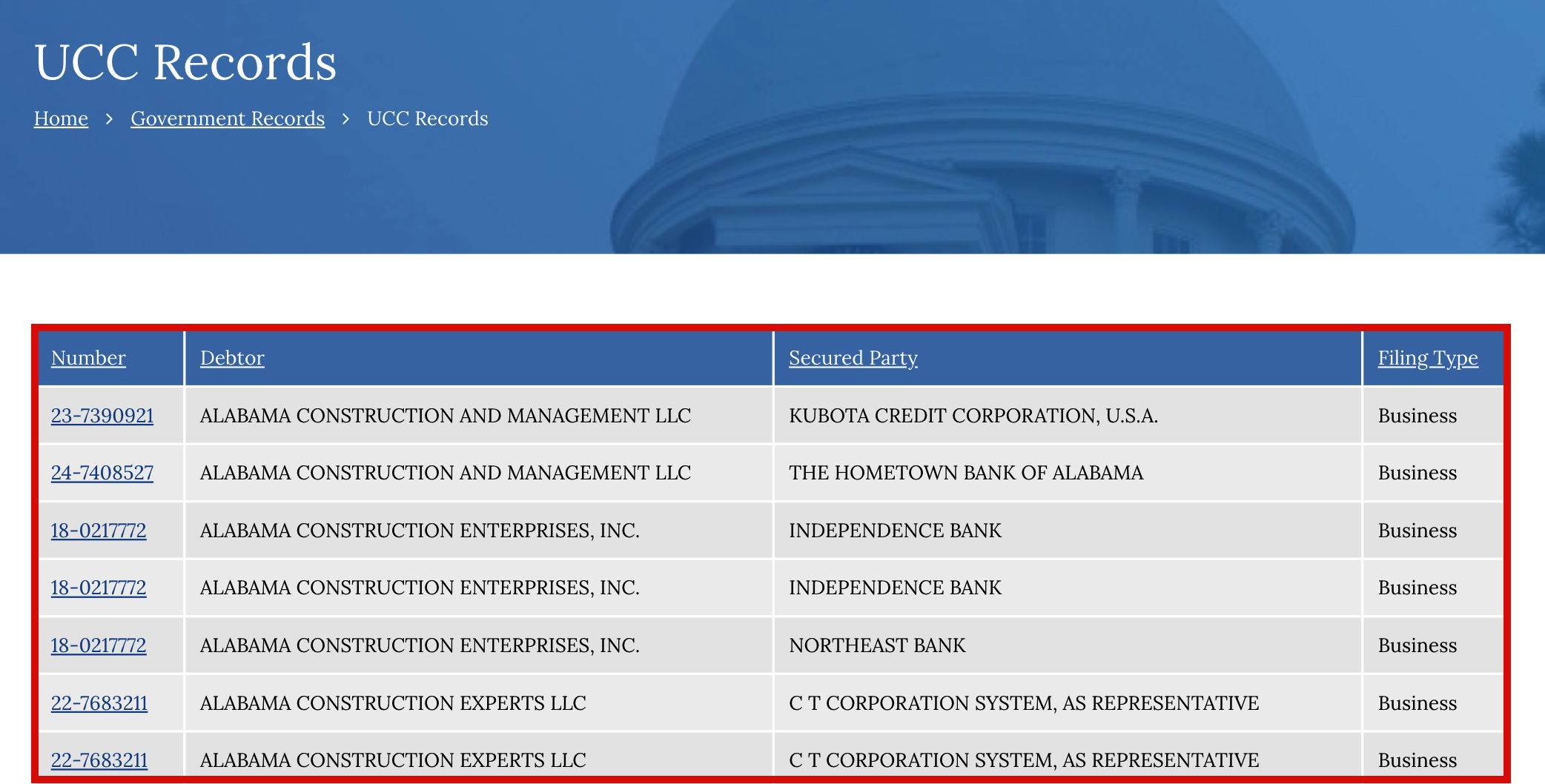
When searching by name, there will typically be several results related to the keyword(s) provided. Determine which result(s) match the actual subject under review, as multiple debtors can have similar names.
A single person or business can have more than one result based on the number of filings they have. Each result listed displays the following information:
- Filing Number
- Debtor’s Name
- Secured Party
- Filing Type
3. View Details
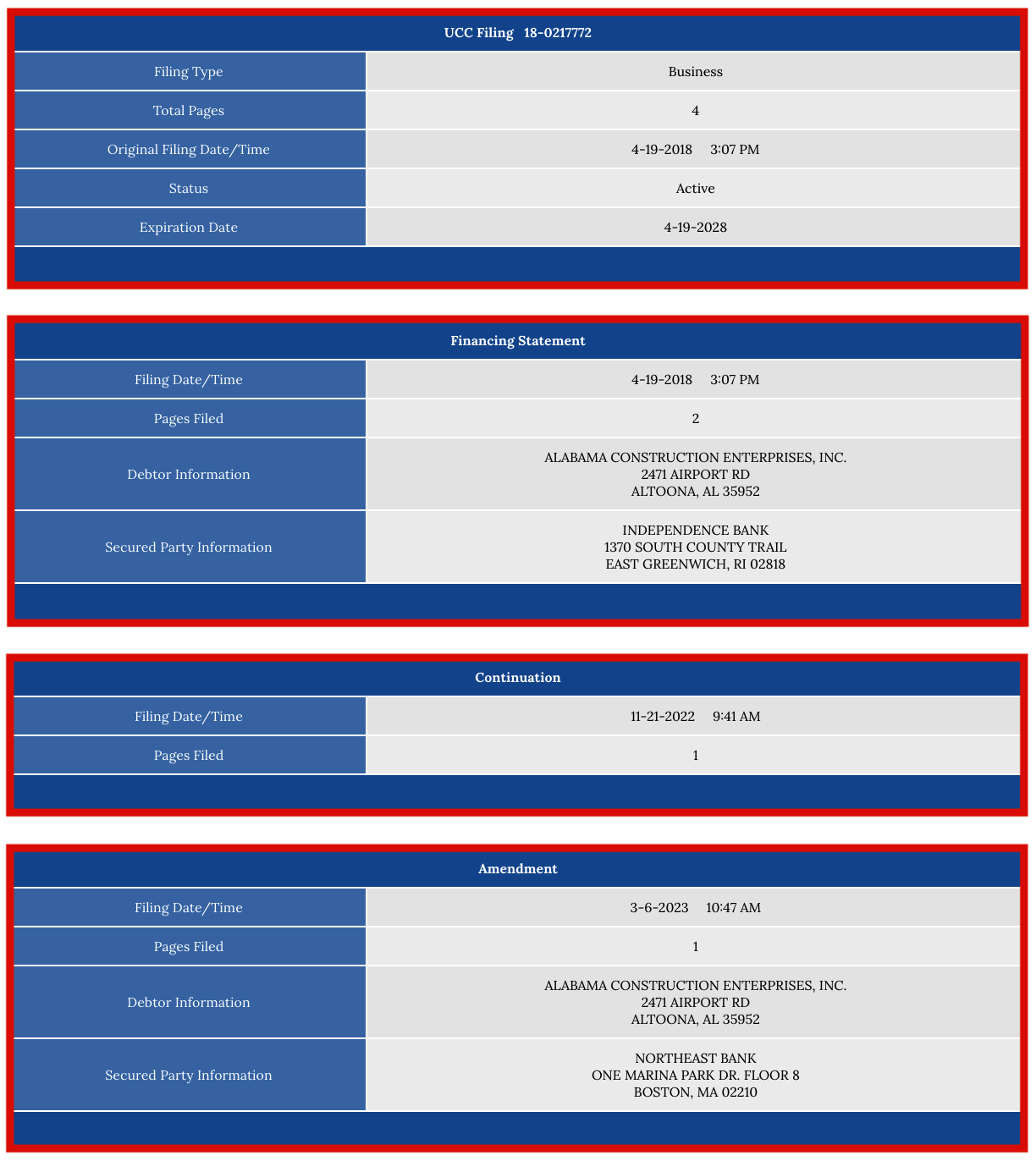
Click the filing number before the debtor’s name to view more details. It will then display the following general information about the UCC filing as a whole:
- Filing Type
- Total Pages
- Date/Time of Filing
- Status
- Expiration Date
As well as some data regarding the individual documents and subsequent filings that the record is comprised of, such as the:
- Financing Statement (UCC-1)
- Amendments
- Continuations
- Assignments
- Termination
4. Obtain Filing Documents
To obtain more information about a specific UCC filing, interested parties can download the associated documentation online for a fee. This includes a scanned or electronic copy of the financing statement, along with any subsequent paperwork added to the record since the initial filing.
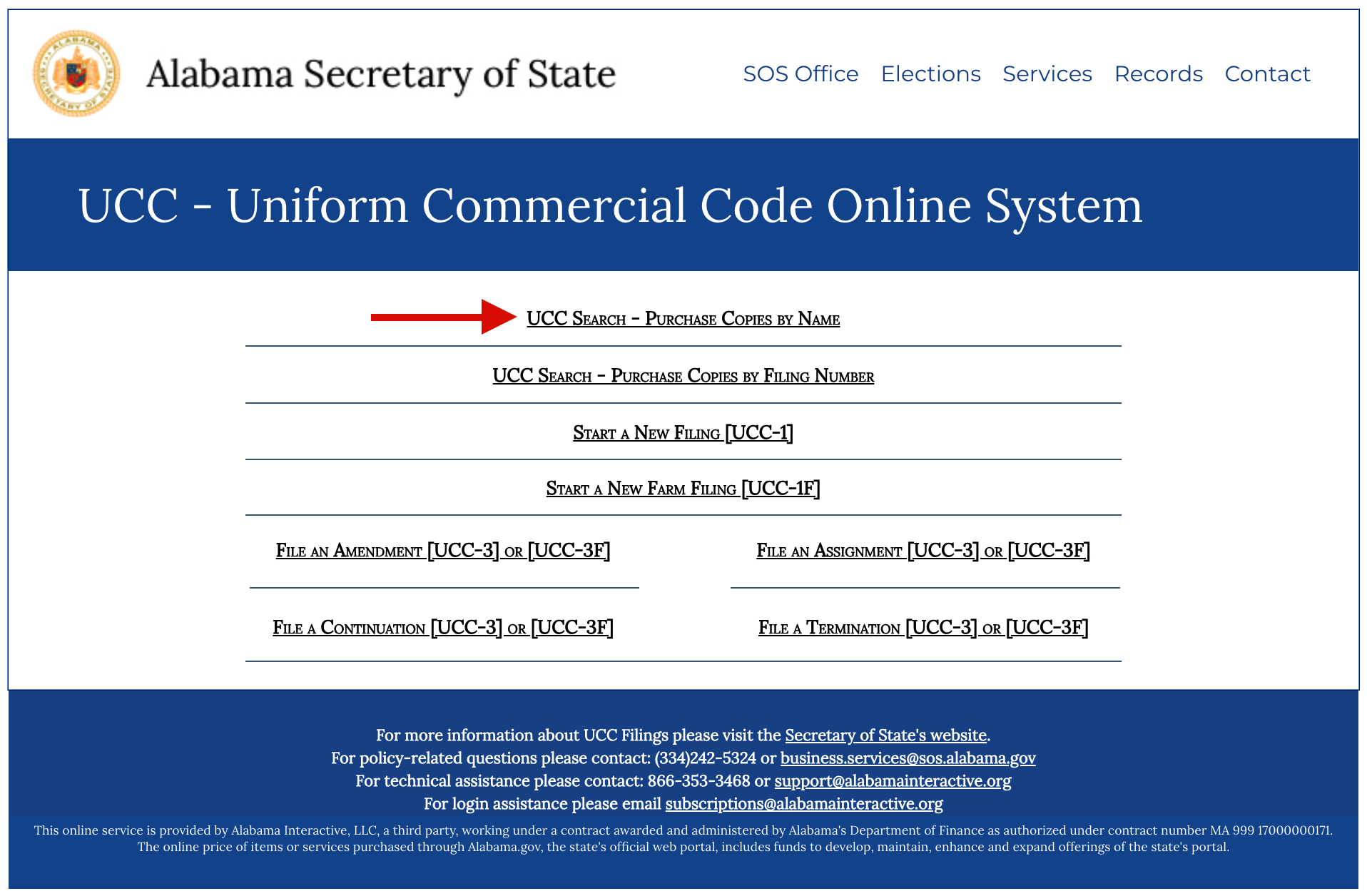
To do this, visit the webpage linked above and select “UCC Search – Purchase Copies by Name” (this option also includes a field to enter the filing number).
5. Locate Copies
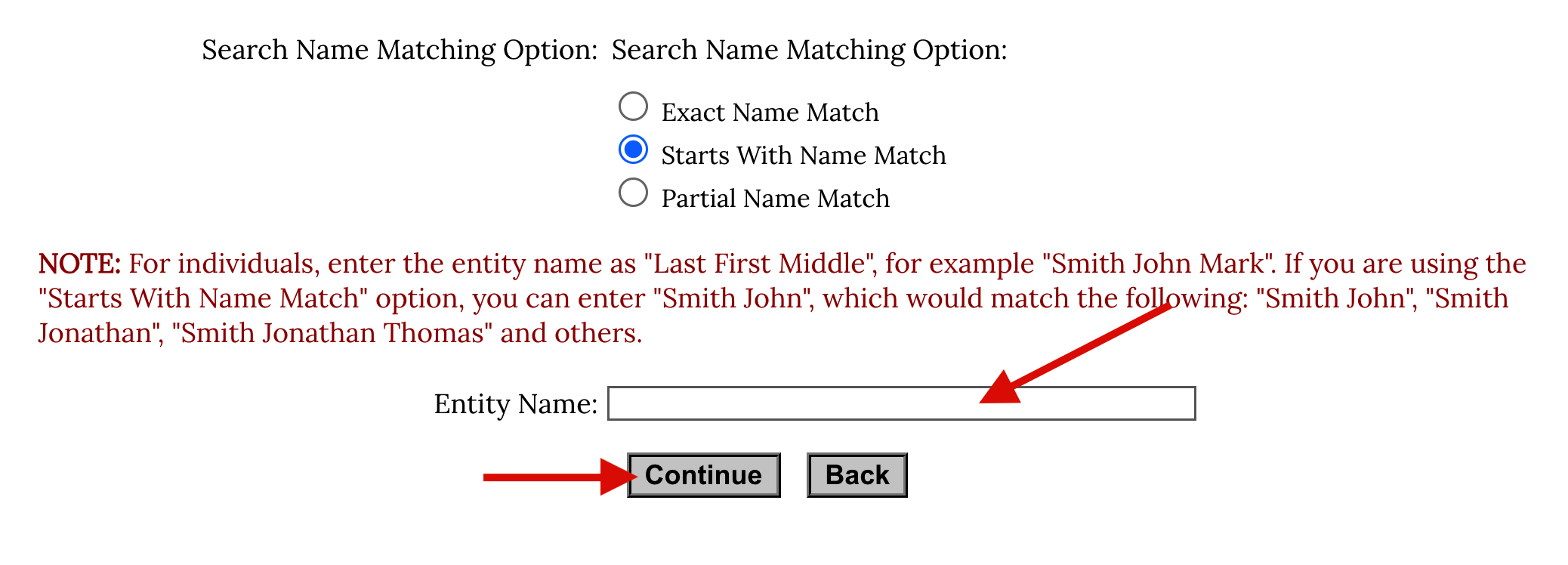
Input the name of the debtor in order to locate the desired filing, then click “Continue” to proceed to the results. For those who have obtained a filing number, enter it within the designated space towards the top of the page for more precise results.
6. Confirm Fees
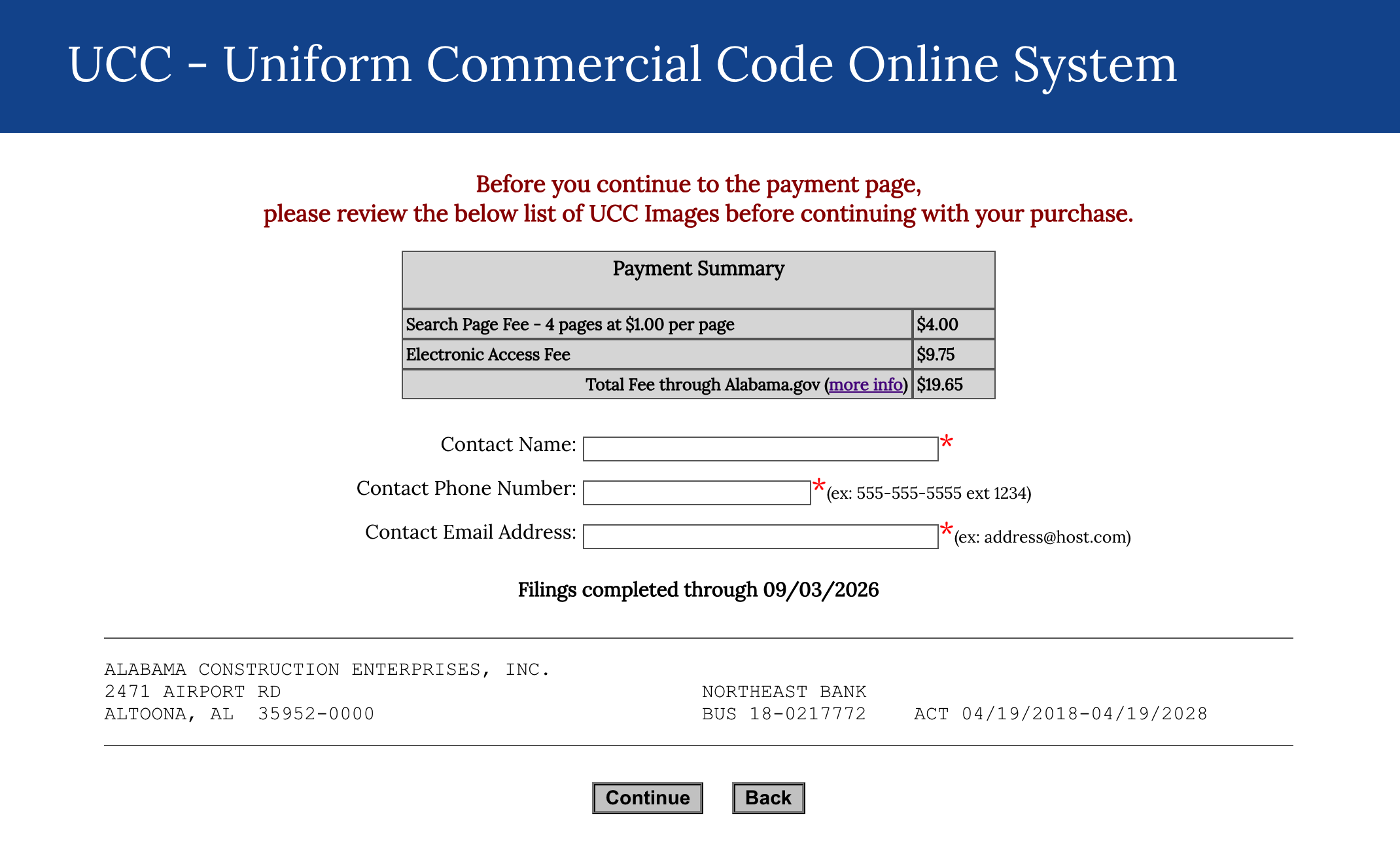
Add the preferred search result to the cart, then proceed to the payment summary page. There will be a breakdown of all the costs associated with procuring the download ($1.00 per page + $9.75 for the “Electronic Access Fee”), as well as a request for the following contact information:
- Name
- Phone Number
- Email Address
7. Finalize Purchase
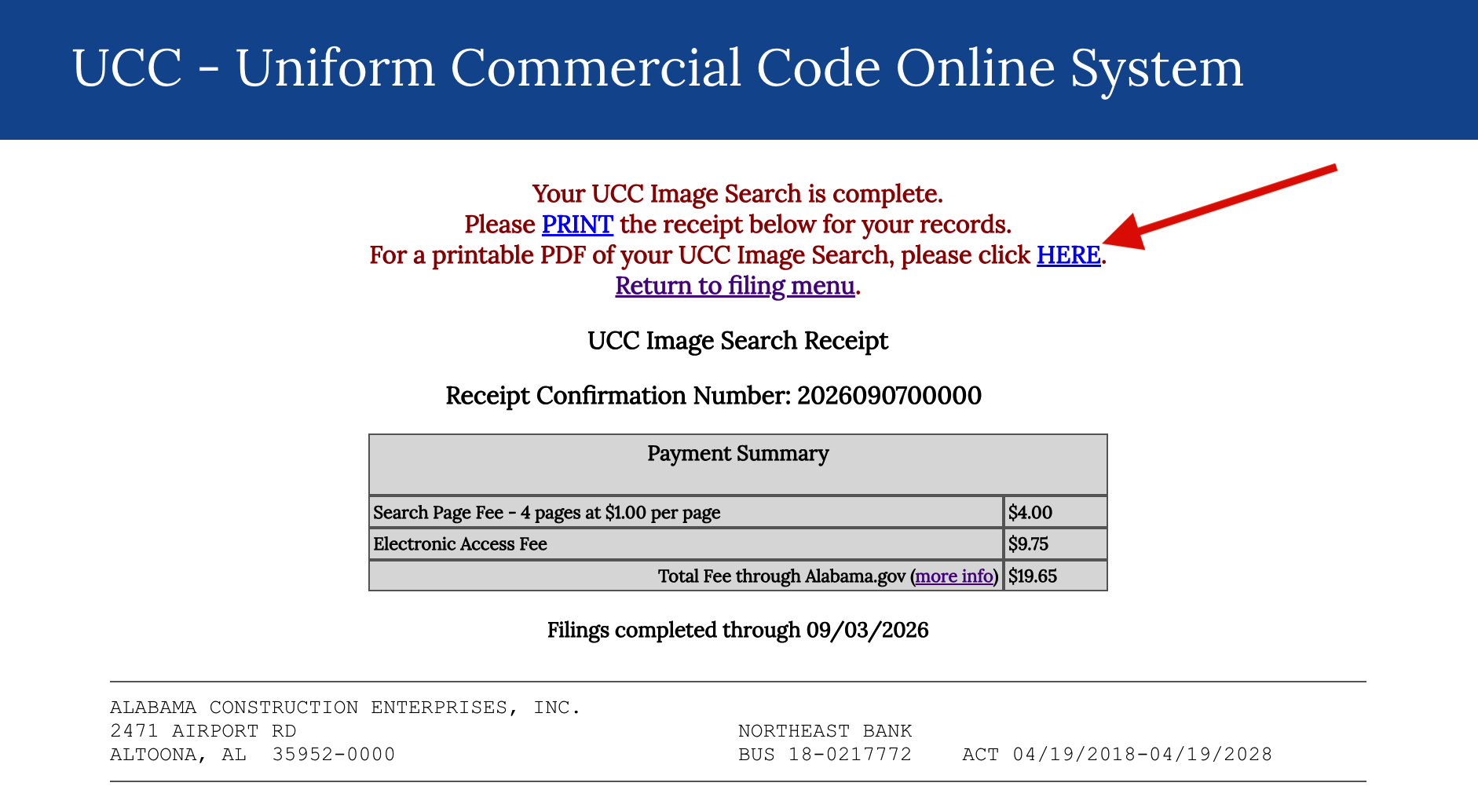
Proceed to the next step to provide the credit card details needed to conclude the purchase. Once submitted, it will display a confirmation page with a transaction receipt. (A confirmation email will also be provided.)
Click the “HERE” link to download the PDF document.
8. Review Filing
Open the PDF to review the state’s official copy of the UCC filing that was ordered. Within it, inquiring parties can examine the financing statement, which contains the most sought-after piece of information: the “collateral description.”
The collateral description records the property/assets that the secured party is entitled to if the debtor fails to meet their contractual obligations. (View Sample)