An Arizona UCC search is executed through the Secretary of State’s online service. Interested parties can look up individuals or companies to see if they have any filings placed on their personal property or company assets. These filings occur when a secured party wants to create a public record of collateral owed to them if the debtor breaches the contract.
Business Entity Search

By searching, you agree to our Terms of Use and Privacy Policy.
UCC Search
1. Navigate to the Lien Search Page
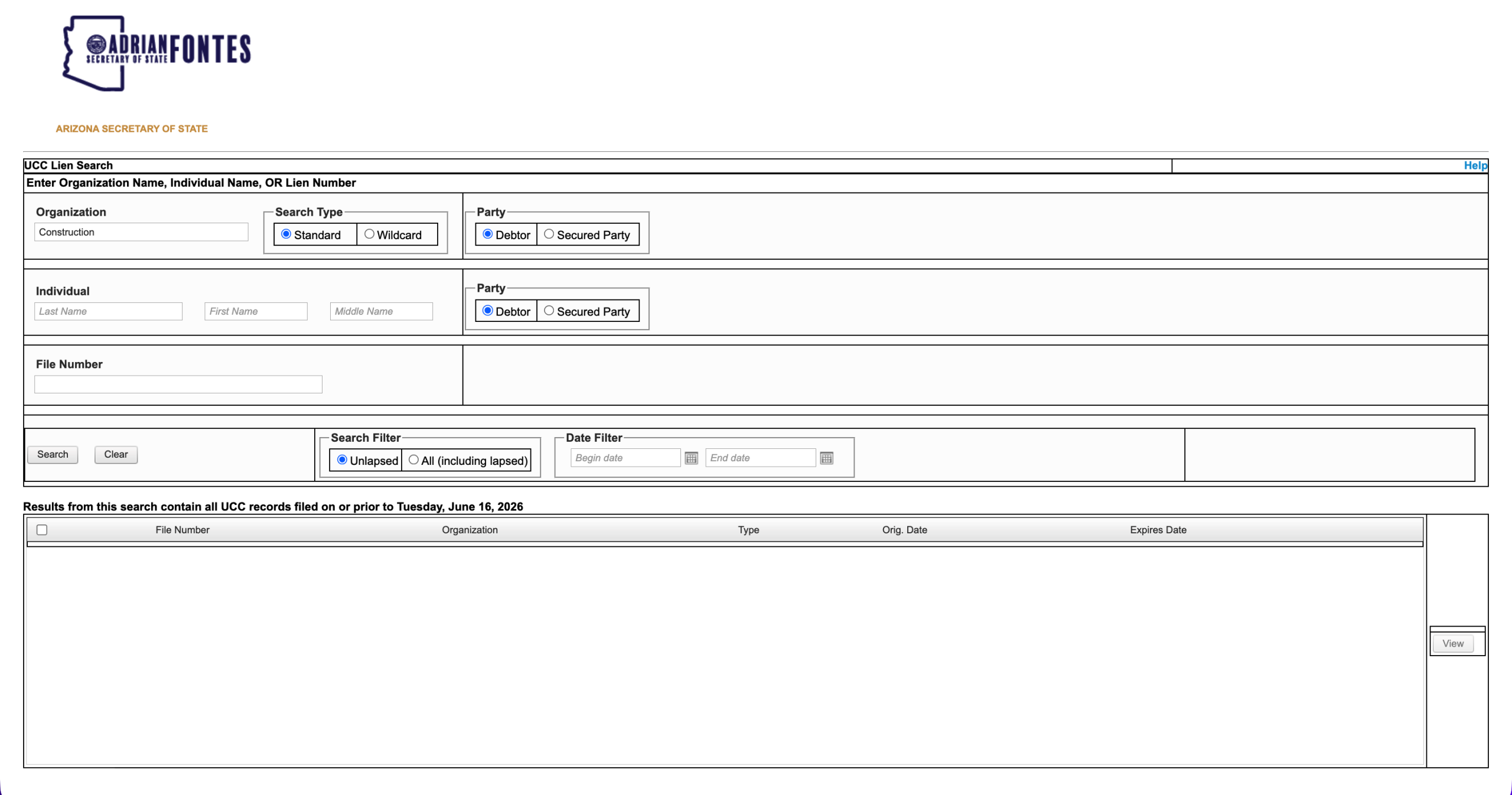
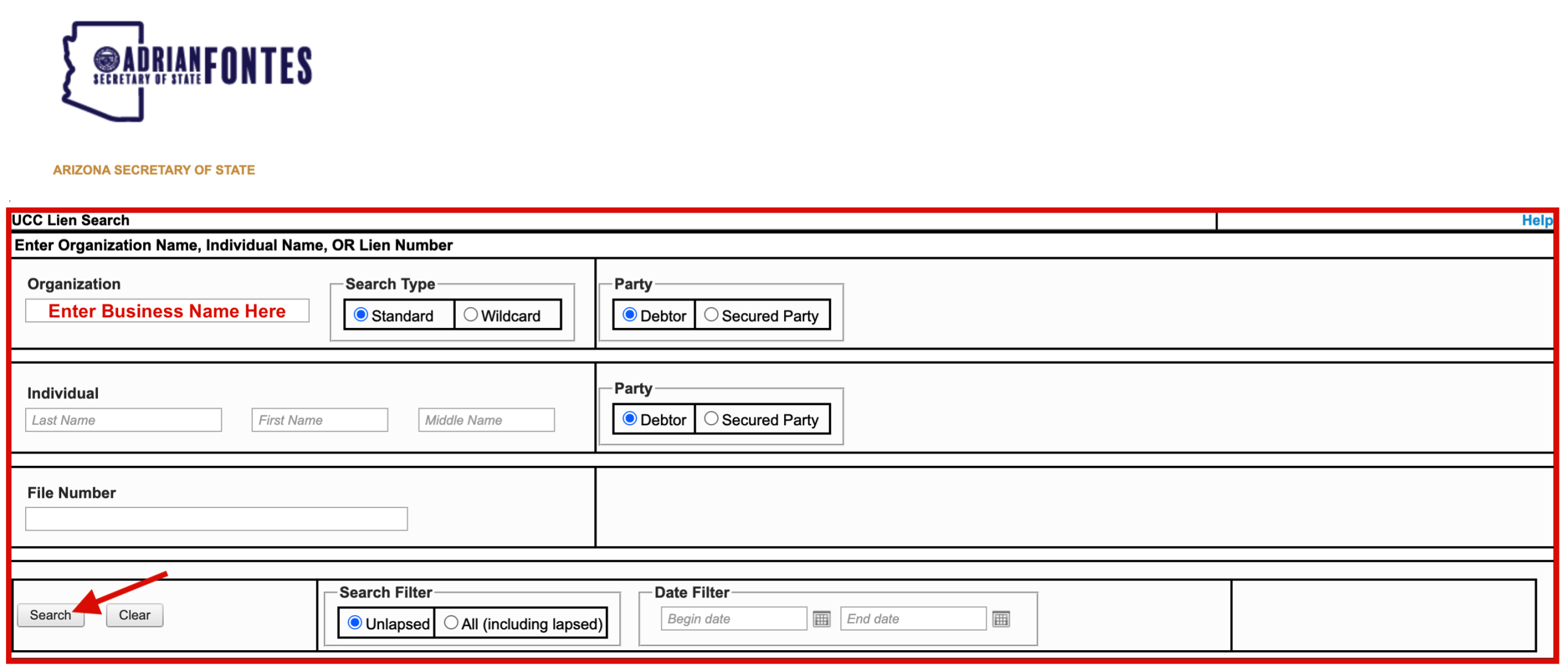
Visit the webpage linked above to access the state’s official UCC search tool. Once there, users will see a range of filters that can be applied to optimize their search.
2. Enter Search Criteria
Choose your preferred search method, then provide the required information and selections.
- Organization Name
-
- Standard or Wildcard Search (wildcard is a broader search)
- Debtor or Secured Party
- Individual Name
- Debtor or Secured Party
- File/Lien Number
If applicable, use the additional filters below to further increase the accuracy of your results.
- Status
-
- Unlapsed or All (including lapsed)
- Date Range
- Start & End Date
Once finished, click “Search” to see the results.
3. See Matches
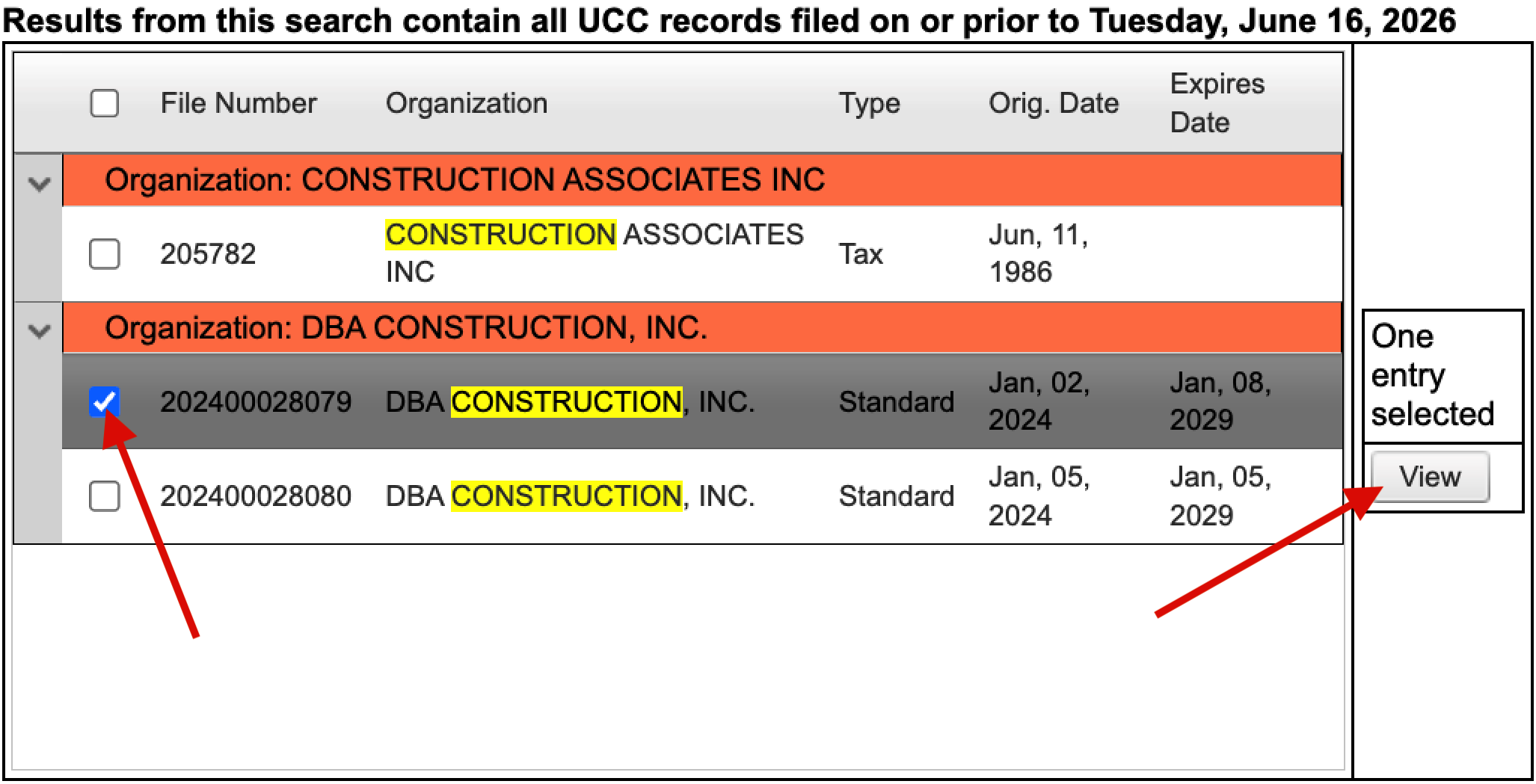
Scroll down to the search results in the bottom portion of the page and identify the intended debtor or secured party. Each match will display data specific to its filing, such as:
- File Number
- Party’s Legal Name
- Record Type
- Origination & Expiration Dates
Check the box for each desired filing and select “View” to access more details.
4. Review Filing Details
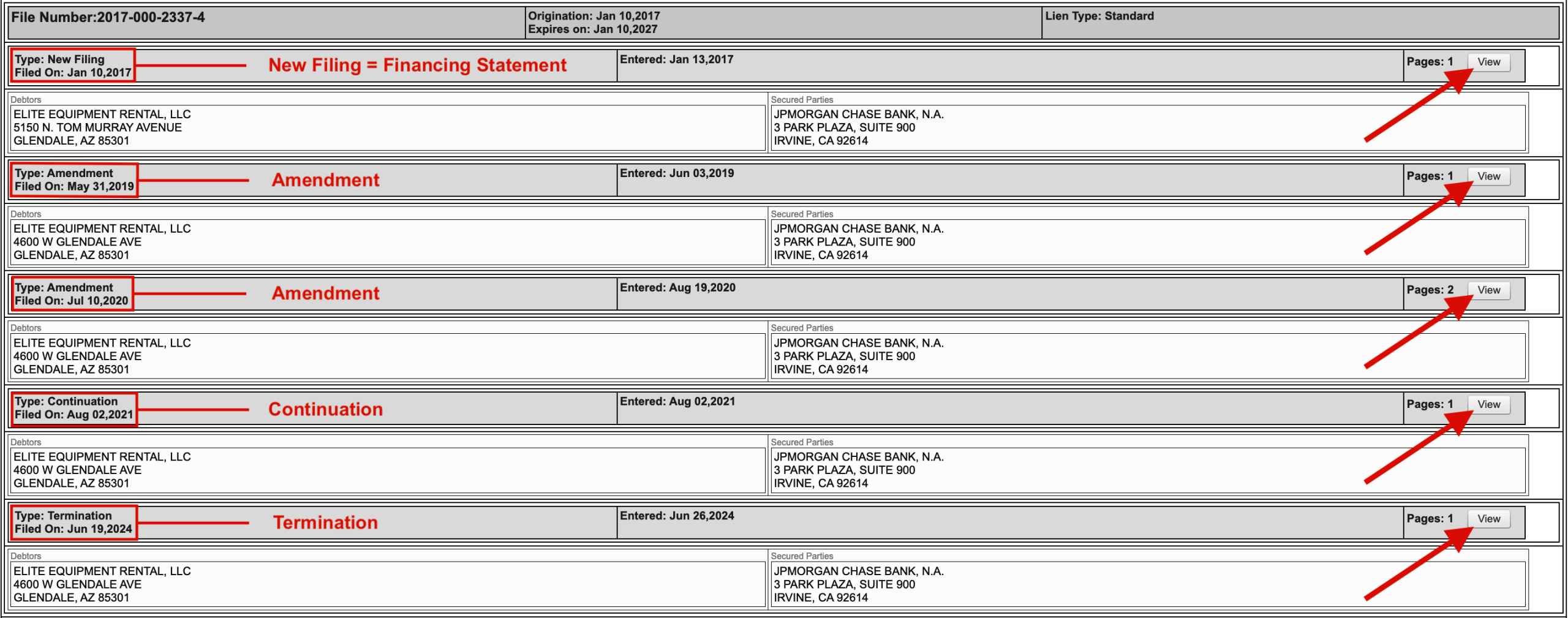
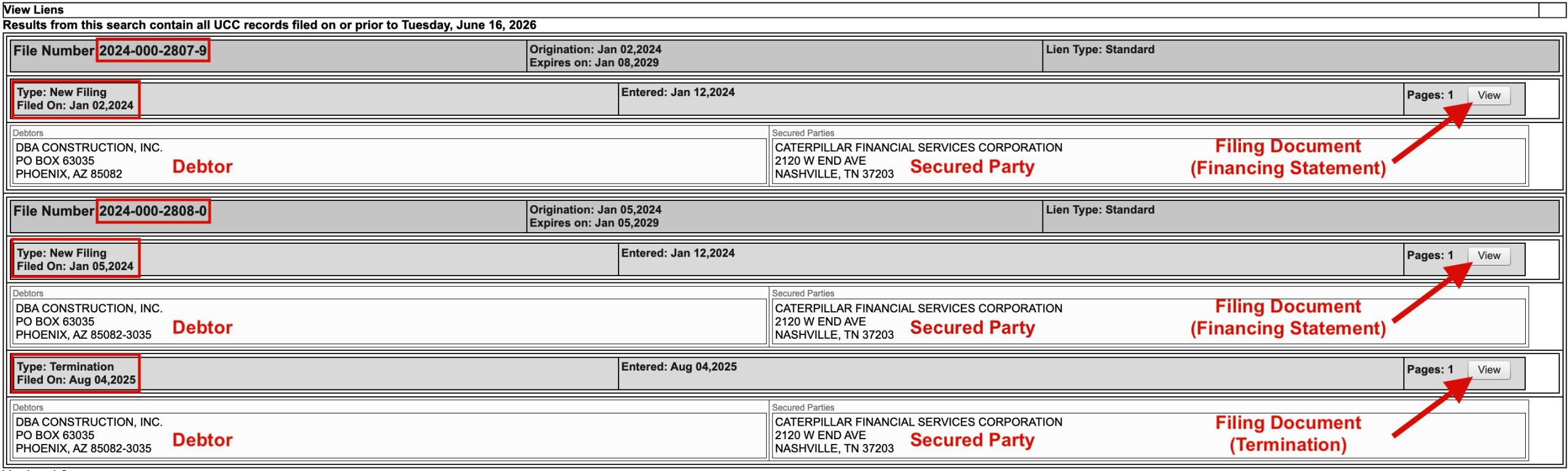
This page provides additional facts about each selected filing, as well as an option to examine the actual document that was recorded in the state’s database. Click the “View” button for the filing you want to see.
5. Examine Financing Statement
Labeled as “New Filing” in the Arizona database, a financing statement is the initial document recorded when a secured party files a lien against a debtor’s assets.
Read through the instrument and locate the collateral section to see which property is part of a security interest.

6. Check Associated Documents
A UCC filing can consist of a single financing statement, especially if it was recently created. However, many filings include additional documents used to register changes, updates, or other information. These subsequent filings include:
- Amendments
- Continuations
- Terminations
- Assignments
- Information Statements
See the image below for an example of how these appear on the website. View and analyze each document to fully understand the filing as a whole.