An Alaska UCC search helps discover any security interests filed against a person or organization. These filings create a public record for the secured party (typically a lender), identifying the assets they claim if the debtor fails to uphold the agreement. Searchers can access this information through the DNR’s central filing system (11 AAC 06.062).
Business Entity Search

By searching, you agree to our Terms of Use and Privacy Policy.
UCC Search
1. Visit the UCC File Search Page
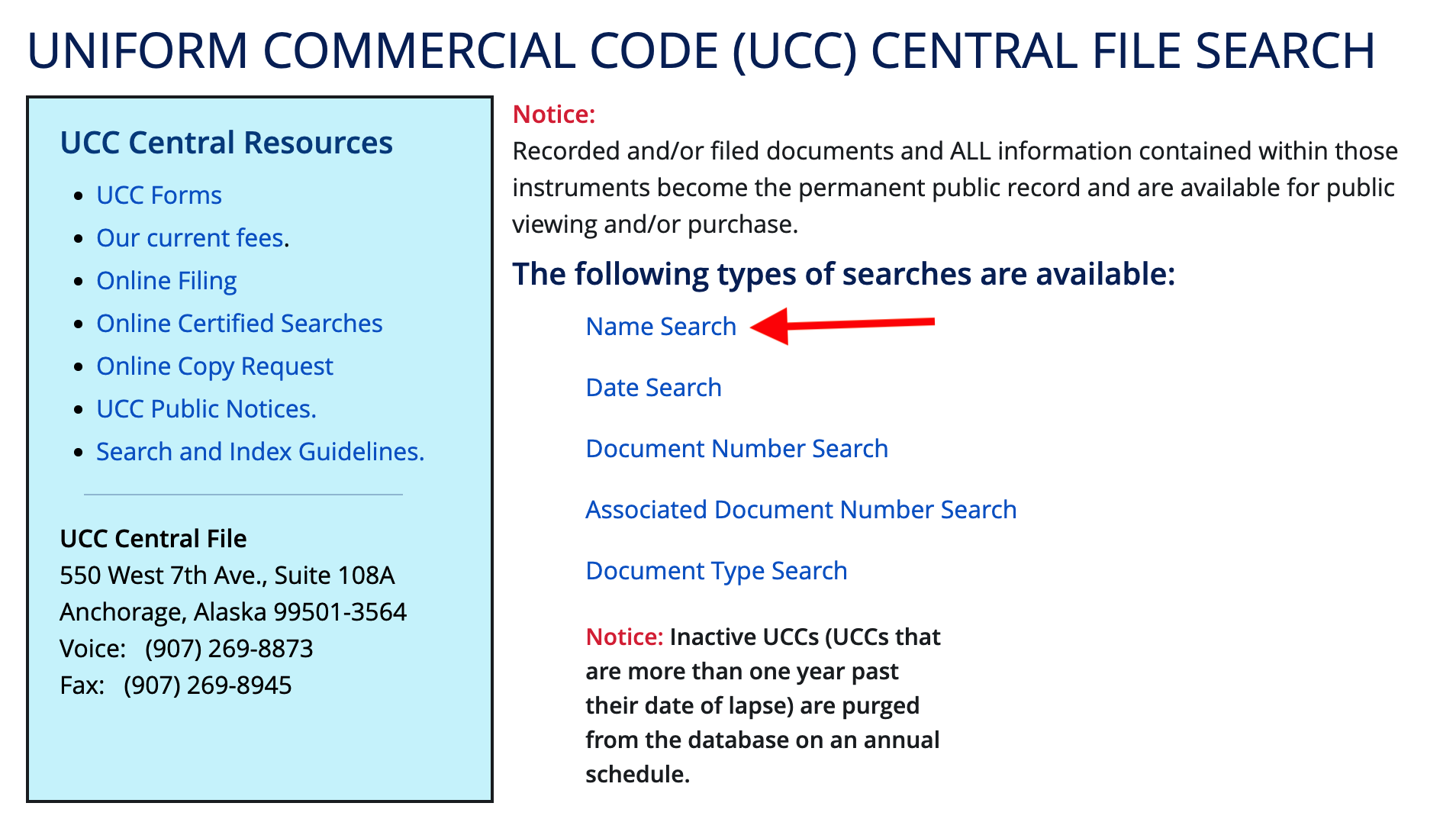
Click the link above to be directed to the Recorder’s Office UCC search page. Visitors will be presented with the following search options to locate the individual or company of interest:
- Name Search (most common method)
- Date Search
- Document Number Search
- Associated Document Number Search
- Document Type Search
2. Search by Name
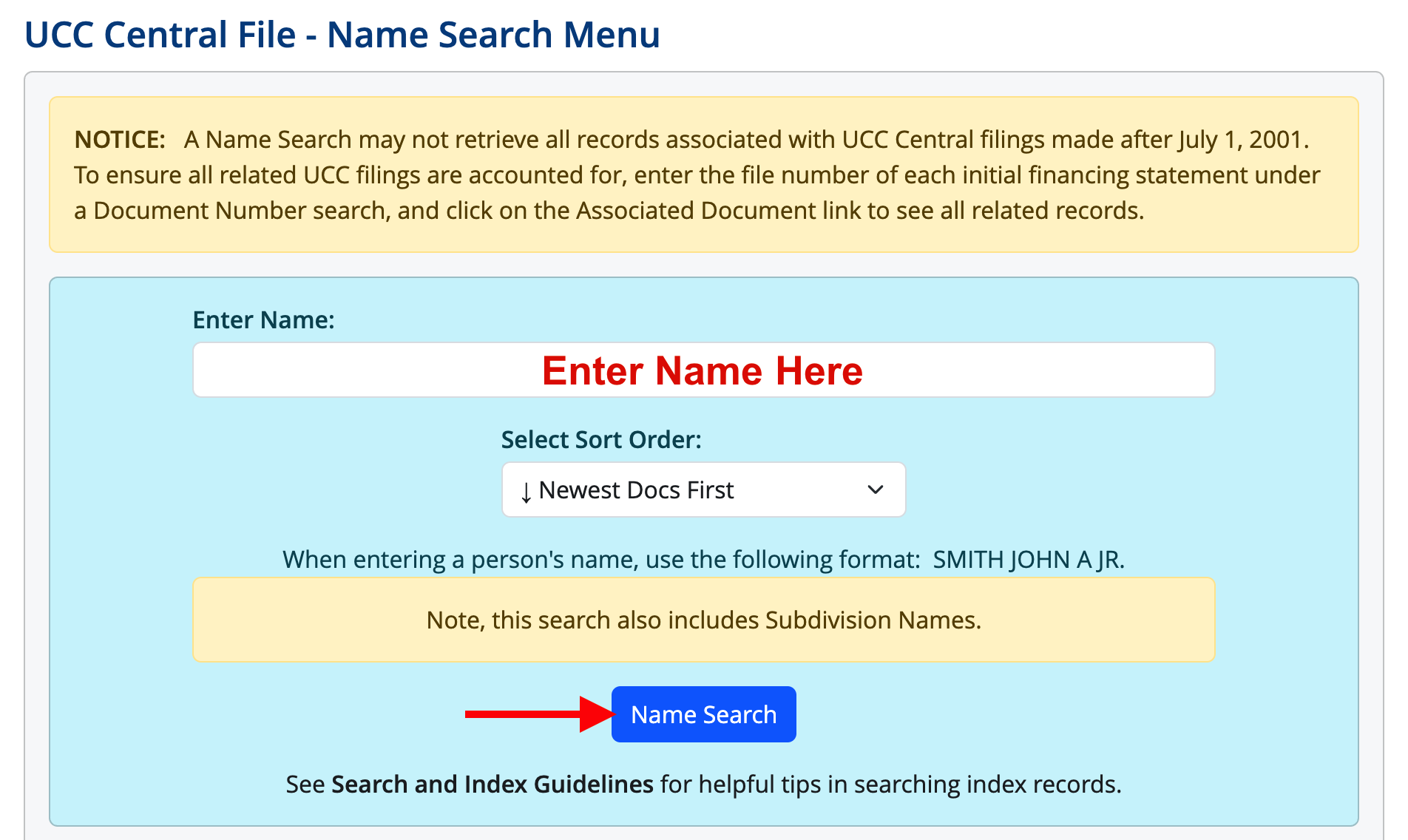
Type the debtor’s name within the indicated field and click the corresponding button to see the results. (Users can also view results from oldest to newest, rather than the default.)
3. Check Results
Based on the keyword(s) entered, the search may display various results that include the intended debtor as well as other subjects that have comparable names. Identify the correct party and click the name to view the filing details.
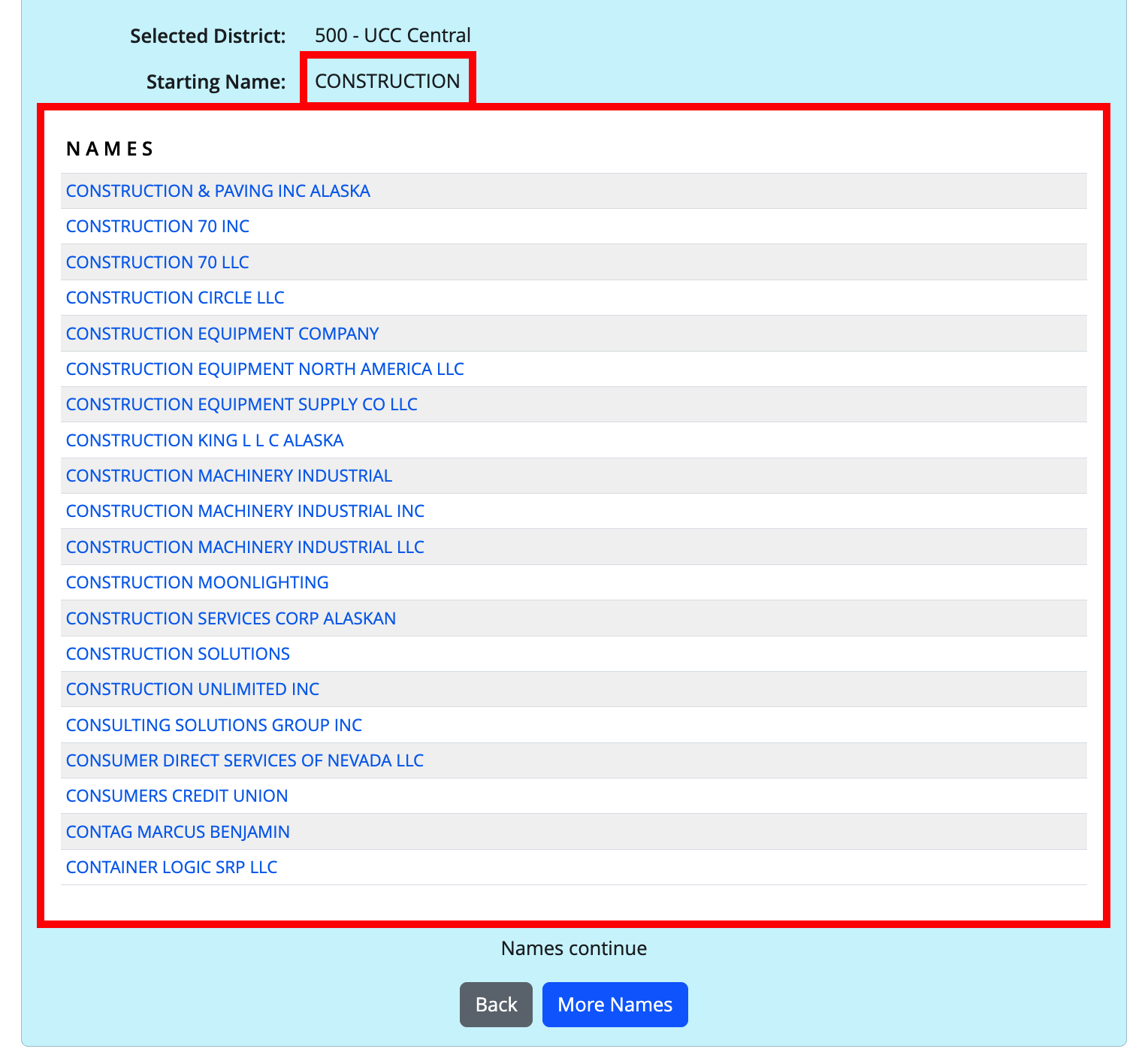
4. Review Filing Details
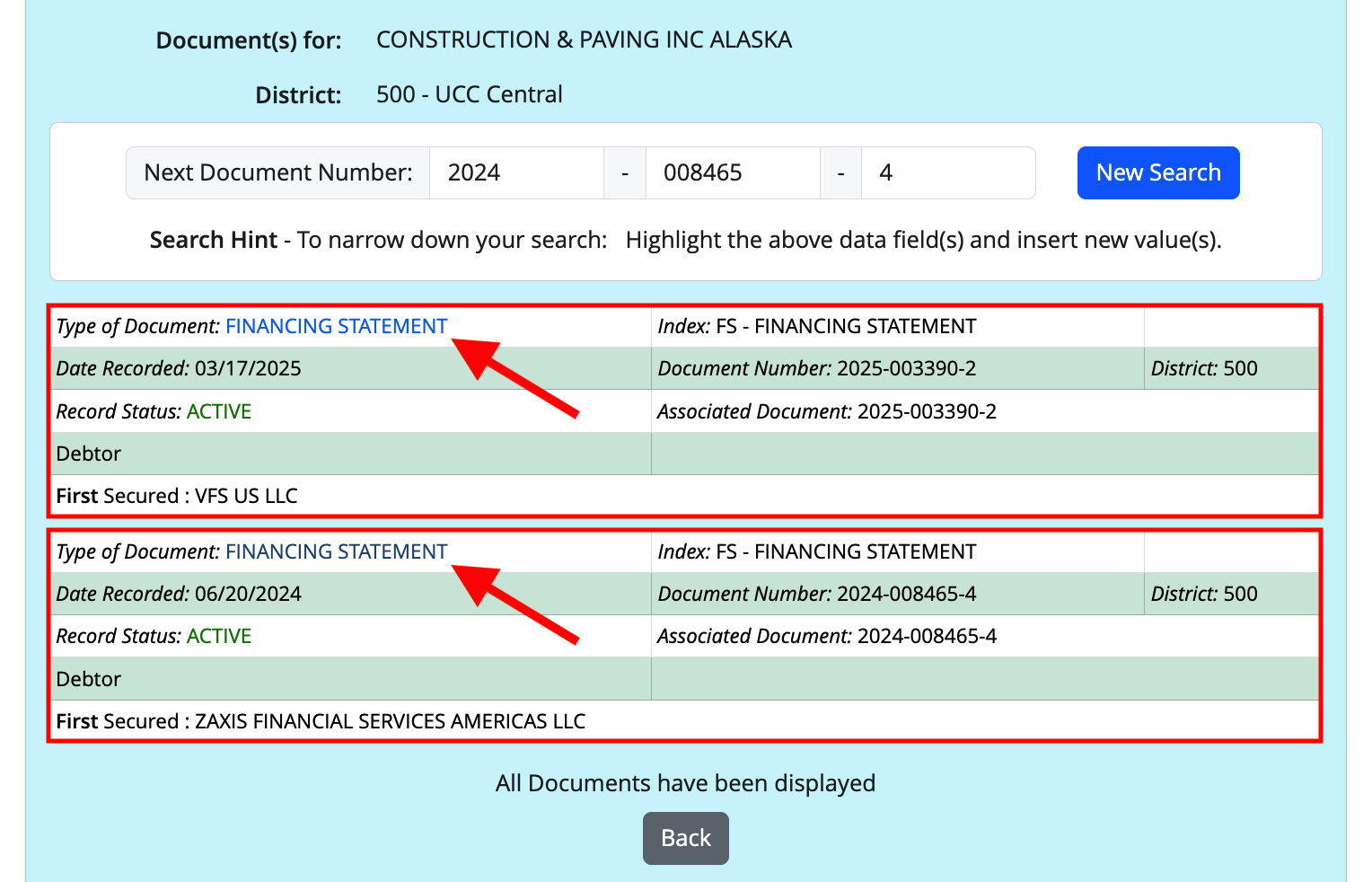
After selecting a debtor, users can see what filings have been registered under their name. Each record will reveal the following data:
- Type of Document (generally the initial financing statement)
- Index Classification (see codes)
- Date Recorded
- Record Status (active, inactive, or lapsed)
- Document Number
- Associated Document (if any)
- Secured Party
To access more information about a document on file, click the link as shown below.
5. Examine Documents
View a filing’s associated documents (if any) by clicking the corresponding link. Apart from the original financing statement, this can include supplemental paperwork added to the record for the purpose of changing or updating information:
- Amendments
- Continuations
- Assignments
- Terminations
- Information Statements
Click the “See Image” option to download a copy of the actual filing document submitted to the state.
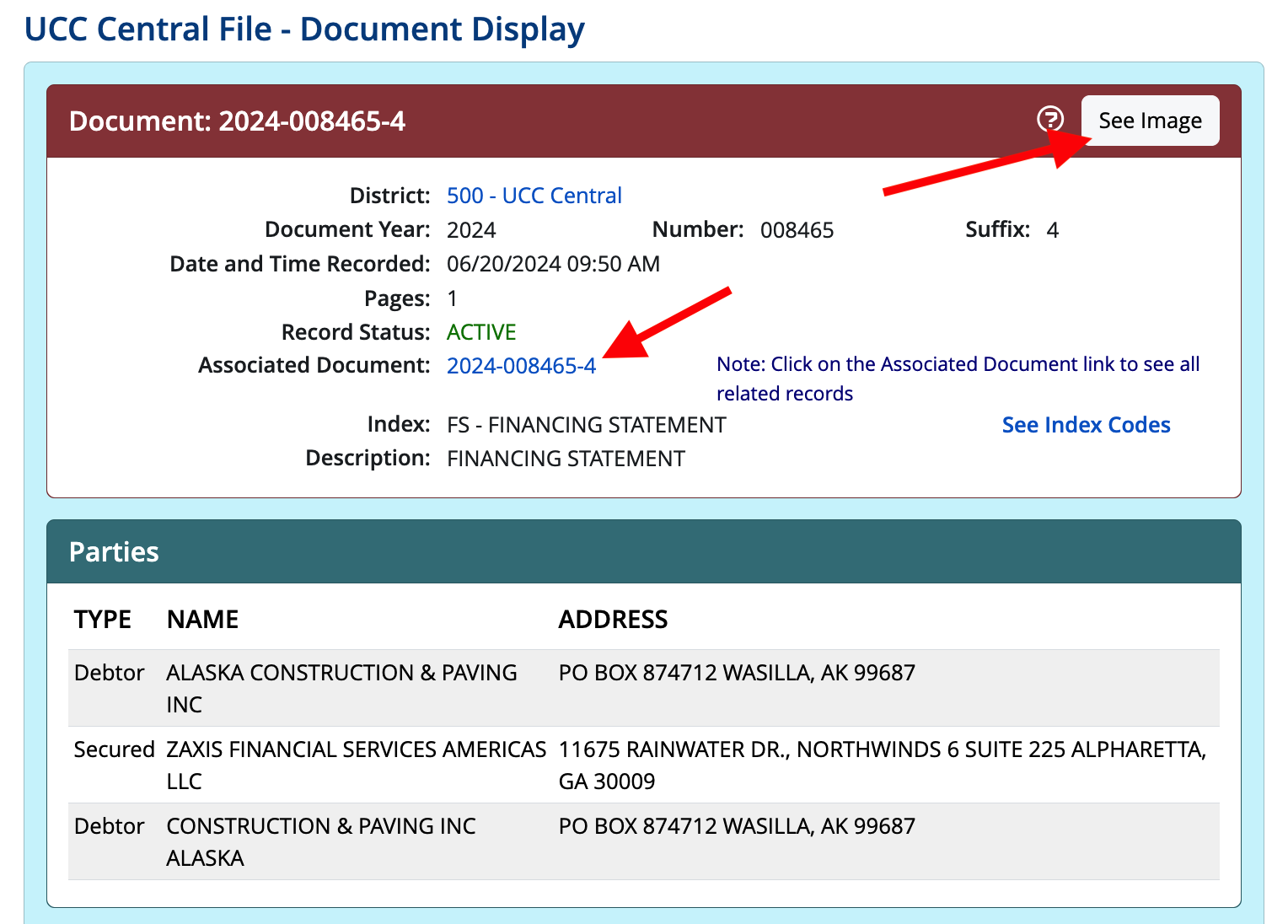
6. Analyze Financing Statement
Open the image that was downloaded from the site. It should be a scanned copy of the original filing and include all the essential details needed for the record.
This document is primarily obtained to review the collateral section, which describes the property/assets a secured party could have rights to in the event of nonpayment.

7. Execute a Certified Search
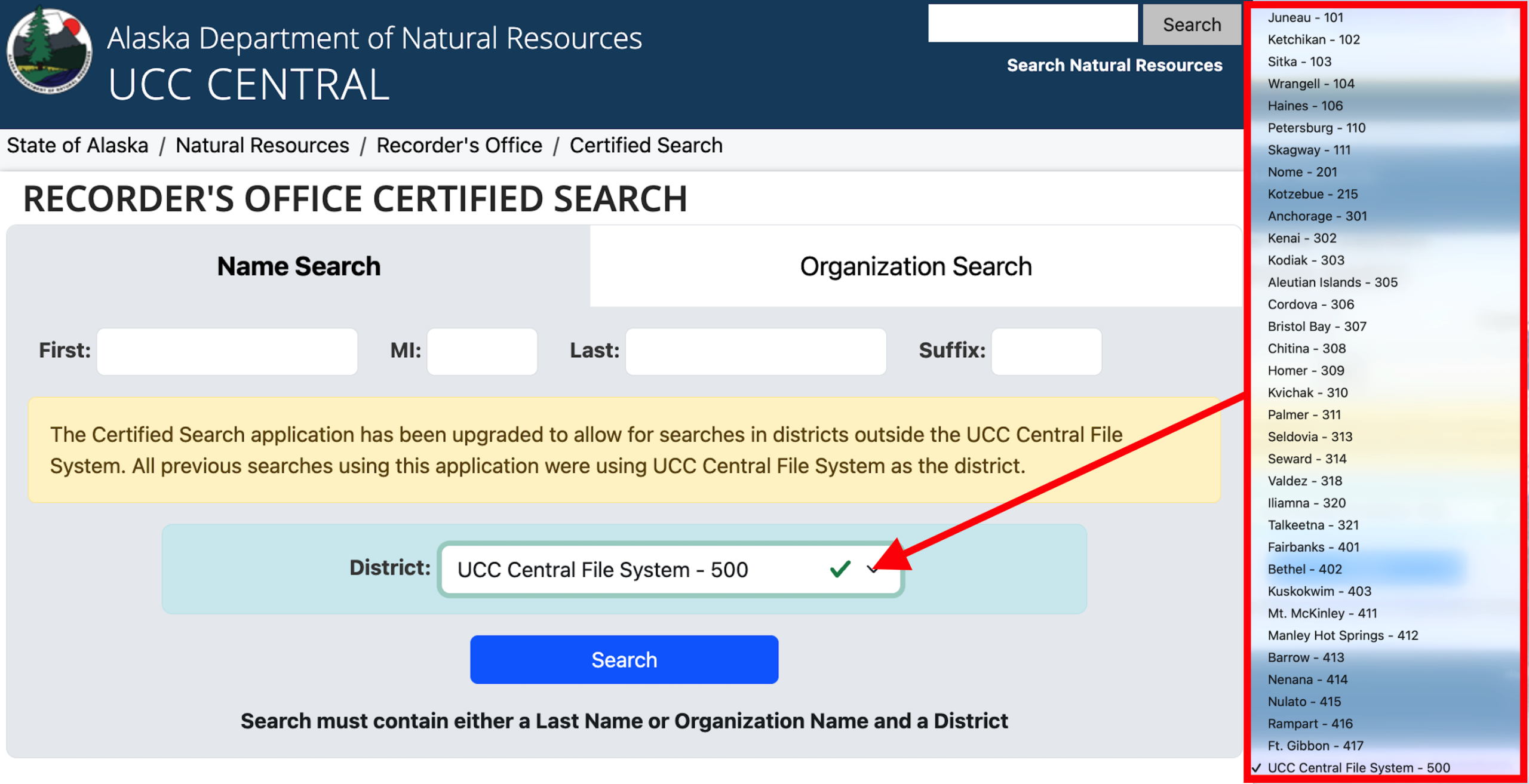
Certain UCC records filed at the district level may not appear in the central index (see districts), such as those involving timber to be cut, as-extracted collateral, and fixture filings. A certified search allows users to access these records by selecting a specific district’s database to look up a debtor.
Go to the Recorder’s Office certified search page, enter the person or organization’s name, and select the applicable district. If there is a match, it can be purchased for $25 using a credit card.
8. Request Copy
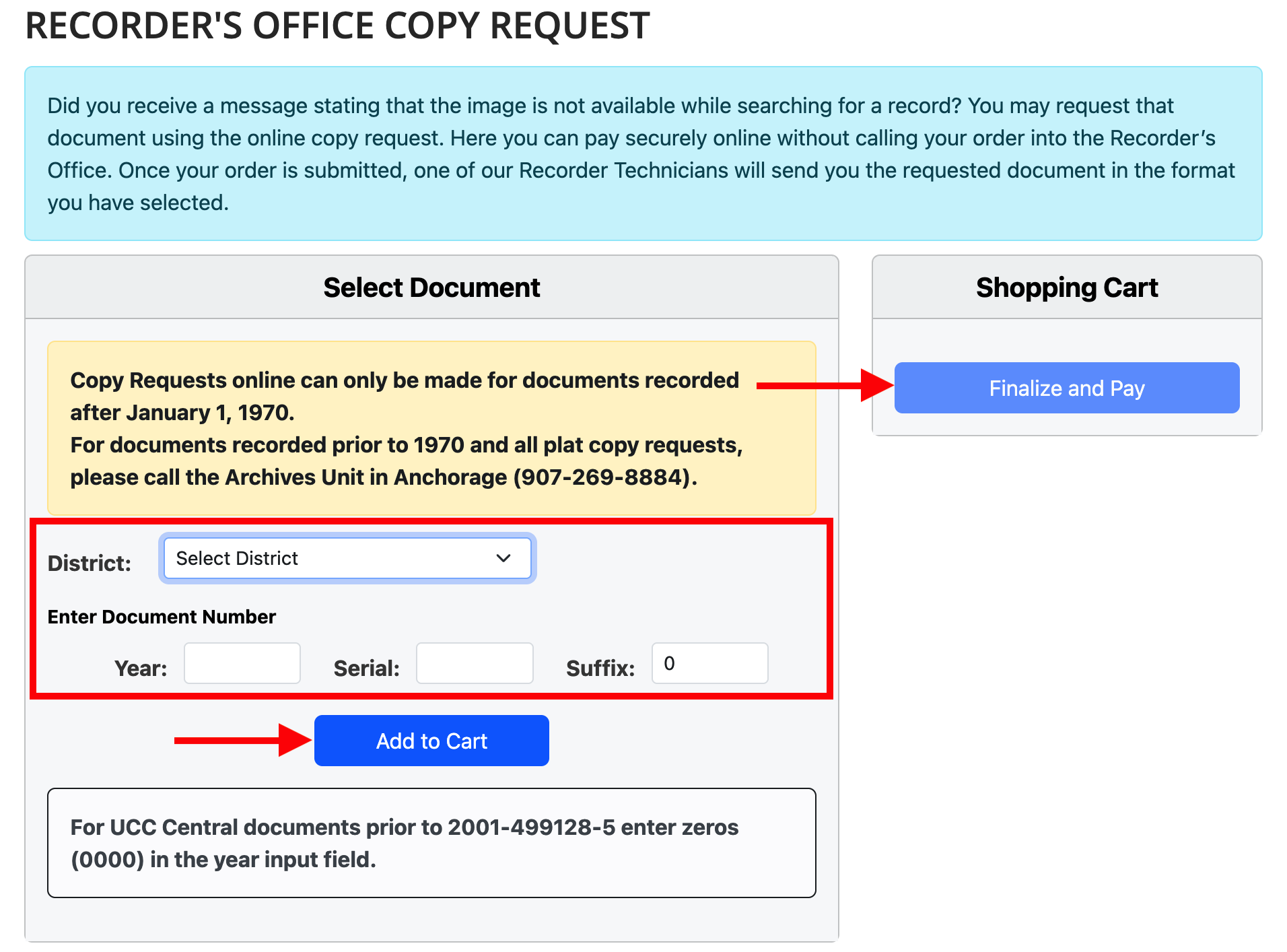
If there is no image available for a document on record, a copy may be requested through the Recorder’s Office. Navigate to the copy request page to order the document online.
Provide the requested document information and click “Add to Cart“. Individuals can then review the costs and supply any required data (contact & payment details) to finalize the order. The fees connected to this request include:
- $2 for a copy (per document)
- $5 for a certification (per document)